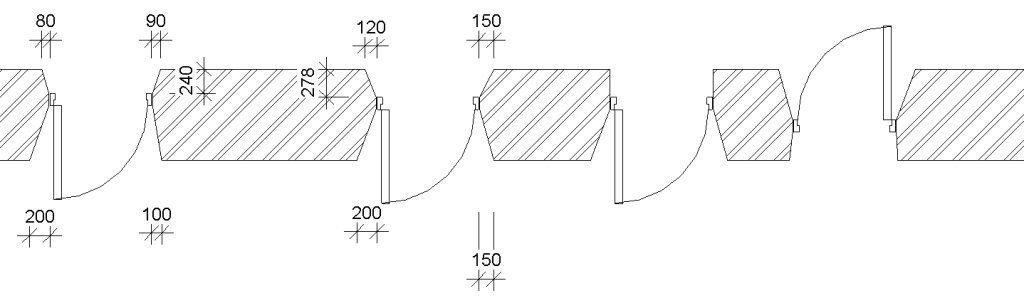
Parametric opening with per instance adjustable inset depth, left and right tapers both on the inside and outside.
Parametric opening with per instance adjustable inset depth, left and right tapers both on the inside and outside.
Nov 7
userauth_pubkey: signature algorithm ssh-rsa not in PubkeyAcceptedAlgorithms [preauth]
And it will not allow to connect using older, SSH-1 keys.
The temporary solution is to add
PubkeyAcceptedKeyTypes +ssh-rsa
to the /etc/ssh/sshd_config and restart the SSH daemon. Well, it’s advisable not to use weaker keys for a long time.
Thanks to the Archlinux forum for the info
In architecture, a Daylight Factor (DF) is the ratio of the light level inside a structure to the light level outside the structure. The only problem – you must know both the illumination level on the inside, on the working plane and simultaneous outdoor illuminance on a horizontal plane from a unobstructed hemisphere of overcast sky.
A Daylight factor can be expressed as an average, using experimental formulas. Here are some of them:
Read the rest of this entry »In some cases the yellow explamation mark can be “stuck” for a drive. There are some possibilities here:
The most reccomended way to remove the exclamation mark is to turn Bitlocker protection on and off.
In the case you don’t want the Bitlocker, you can turn it off for a drive using command line, as described here.
Run the command prompt as adminstrator and enter the command:
manage-bde C: -off
You can check the drive status with
manage-bde -status
You will get something like this in response:
BitLocker Drive Encryption: Configuration Tool version 10.0.19041
Copyright (C) 2013 Microsoft Corporation. All rights reserved.
Disk volumes that can be protected with
BitLocker Drive Encryption:
Volume C: [Sys]
[OS Volume]
Size:                 953,24 GB
BitLocker Version:    2.0
Conversion Status:    Decryption in Progress
Percentage Encrypted: 25,1%
Encryption Method:    XTS-AES 128
Protection Status:    Protection Off
Lock Status:          Unlocked
Identification Field: Unknown
Key Protectors:
    External Key
Numerical PasswordThe EN 13724:2002 “Postal services – Apertures of private letter boxes and letter plates – Requirements and test methods”, European standard for letterboxes specify that:
Feb 25
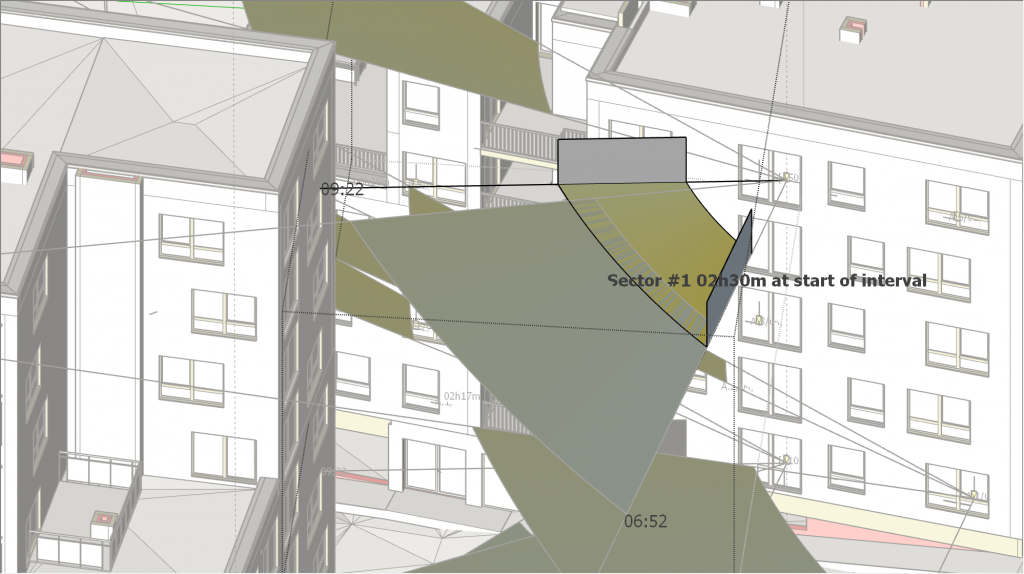
The “required insolation’ sector is added to support in-model decision on the limiting volumes and conditions.
This is not a public software, so please contact the author of the LSS Arch Tools for more questions.
You must hae the CA configured properly, this no not the scope of this post.
The self-signed certficate is in the <hostname>.crt, the private key is in the <hostname>.key
openssl req -x509 -newkey rsa:4096 -keyout <hostname>.key -out <hostname>.crt -days 365The request is in the <hostname>.csr, the private key is in the <hostname>.key.
-nodes option will turn off the password request, which is a Bad Idea for personal certificates and is sometimes used for server sertificates.
openssl req -newkey rsa:4096 -sha256 -nodes -out <hostname>.csr -outform PEM
mv mv privkey.pem <hostname>.pem
Make sure to adjust the Apache configuration accordingly, https://httpd.apache.org/docs/trunk/ssl/ssl_faq.html and https://raymii.org/s/tutorials/Strong_SSL_Security_On_Apache2.html
sudo openssl dhparam -out /etc/ssl/certs/dhparam.pem 2048The request is in the <hostname>.csr, the signed certificates is in the <hostname>.crt.
openssl ca -policy signing_policy -extensions signing_req -out <hostname>.crt -infiles <hostname>.csrThe request is in the <hostname>.csr, the certificates is in the <hostname>.crt.
openssl x509 -in <hostname>.crt -text -noout
openssl req -text -noout -verify -in <hostname>.csrMar 9
When setting up authenticated SMTP service, be sure your IMAP server is accessible. The reason for this is Postfix will check the username using SASLauth daemon. And SASLauth damon uses “rimap” method for checking the username. Rimap is “remote IMAP”, and it tries to log into the configured IMAP service, which by default is defined as ‘localhost’.
Read the rest of this entry »We have a computer room in our local university, ind it’s quite bussy. The main problem it became (this is another story) too long to be usable and there was a strong demand for the screencast view right on the student’s workplace. Yes we do use beamers, but the view was too small to dead the text on the screen.
And so the project was born. There is single seat where the view originates and multiple locations where it should be visible. The system must be easily expandable and upgradeable, no vendor lock-ins. All the points in the systems should be easily adjustable and replaceable.
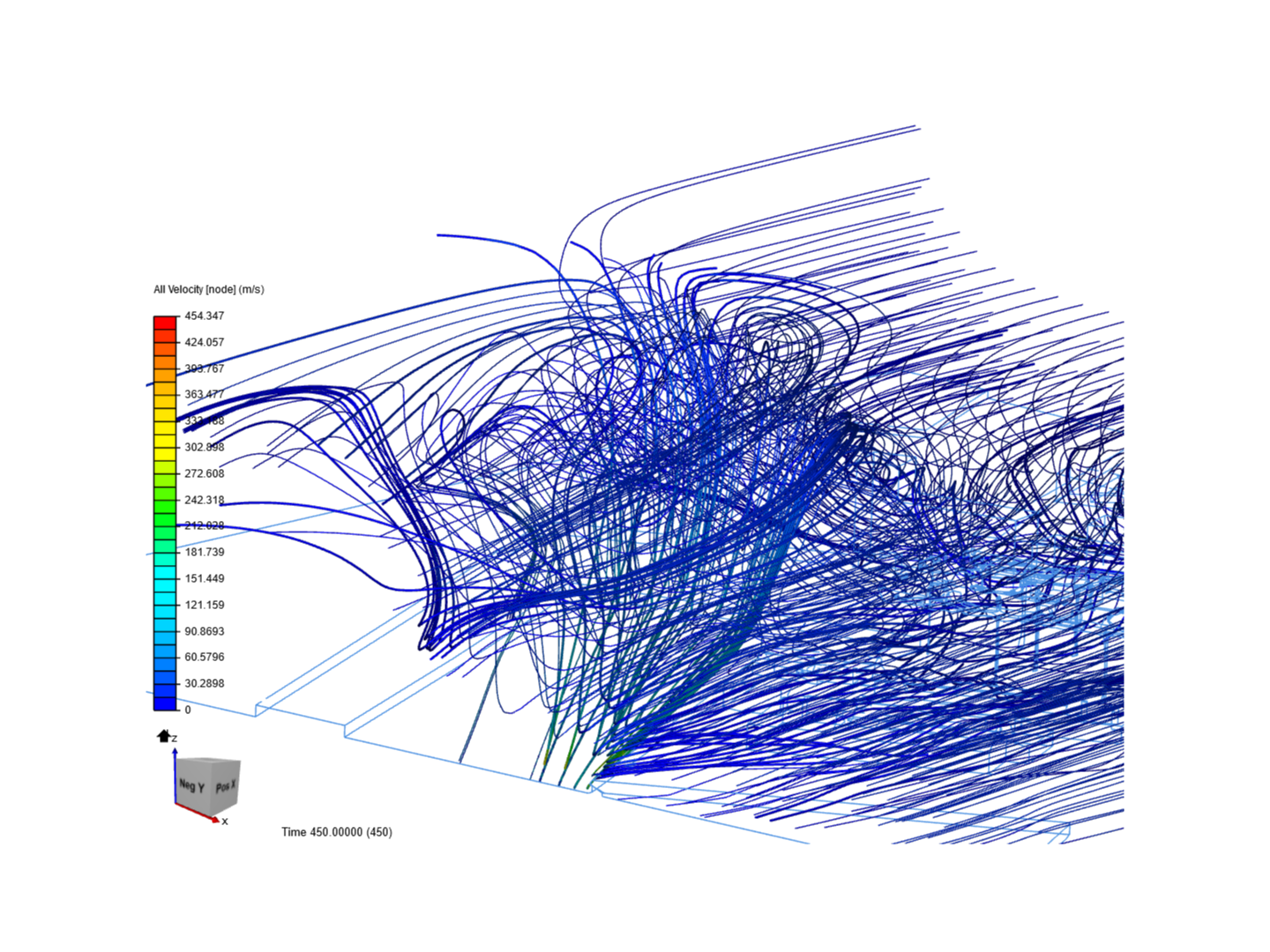
Read the rest of this entry »Just a tiny hole in the mesh may create a great mess.
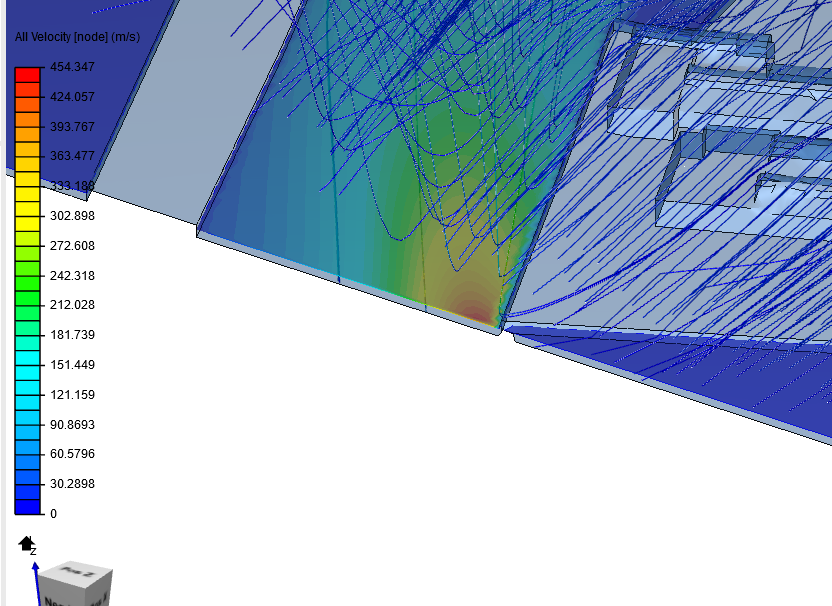
The initial wind speed is 10 m/s, laminar aiflow. And the result is small F15+ class tornado int he Fujita scale.